
Add Product Context
Use Add Product Context inside an existing test suite to generate additional tests from your product or business documentation.
When to Use This
Use this feature when:
- You already have product, business, or design documentation for a feature.
- You want KushoAI to generate additional business logic tests from that documentation.
- You want to expand an existing test suite using a written product context.
Supported Sources
You can use documentation from:
- Google Docs
- Confluence
- Notion
- Any tool that can export Markdown or Plain Text
Supported File Formats
.txt.md
Step 1: Prepare Your Documentation
Export or copy the documentation content from your existing documentation platform.
Step 2: Upload or Paste the Documentation
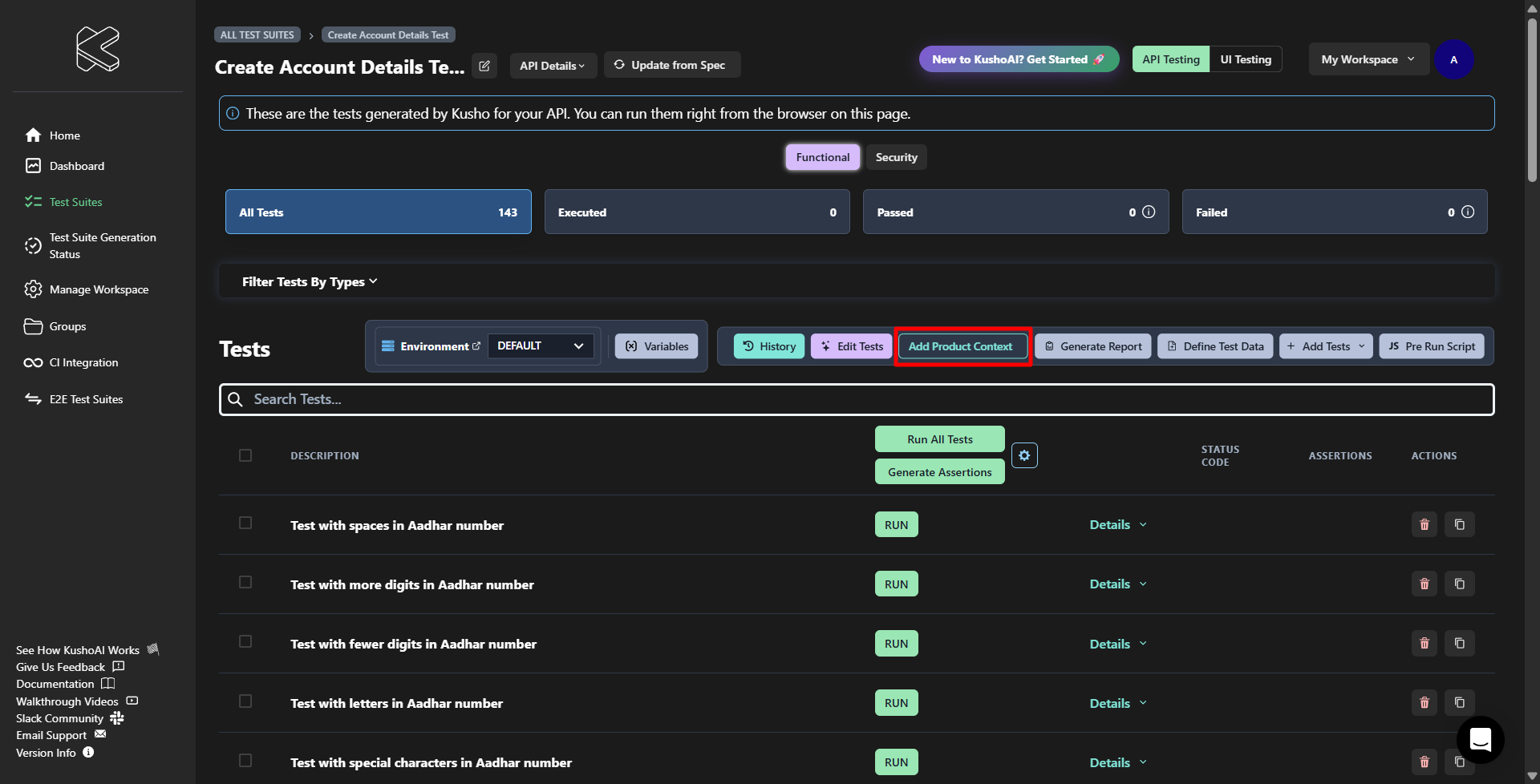
Open your test suite and click Add Product Context.
Then:
- Enter a document name.
-
Add the documentation content by either:
- Pasting the content directly into the text box
- Uploading a
.txtor.mdfile
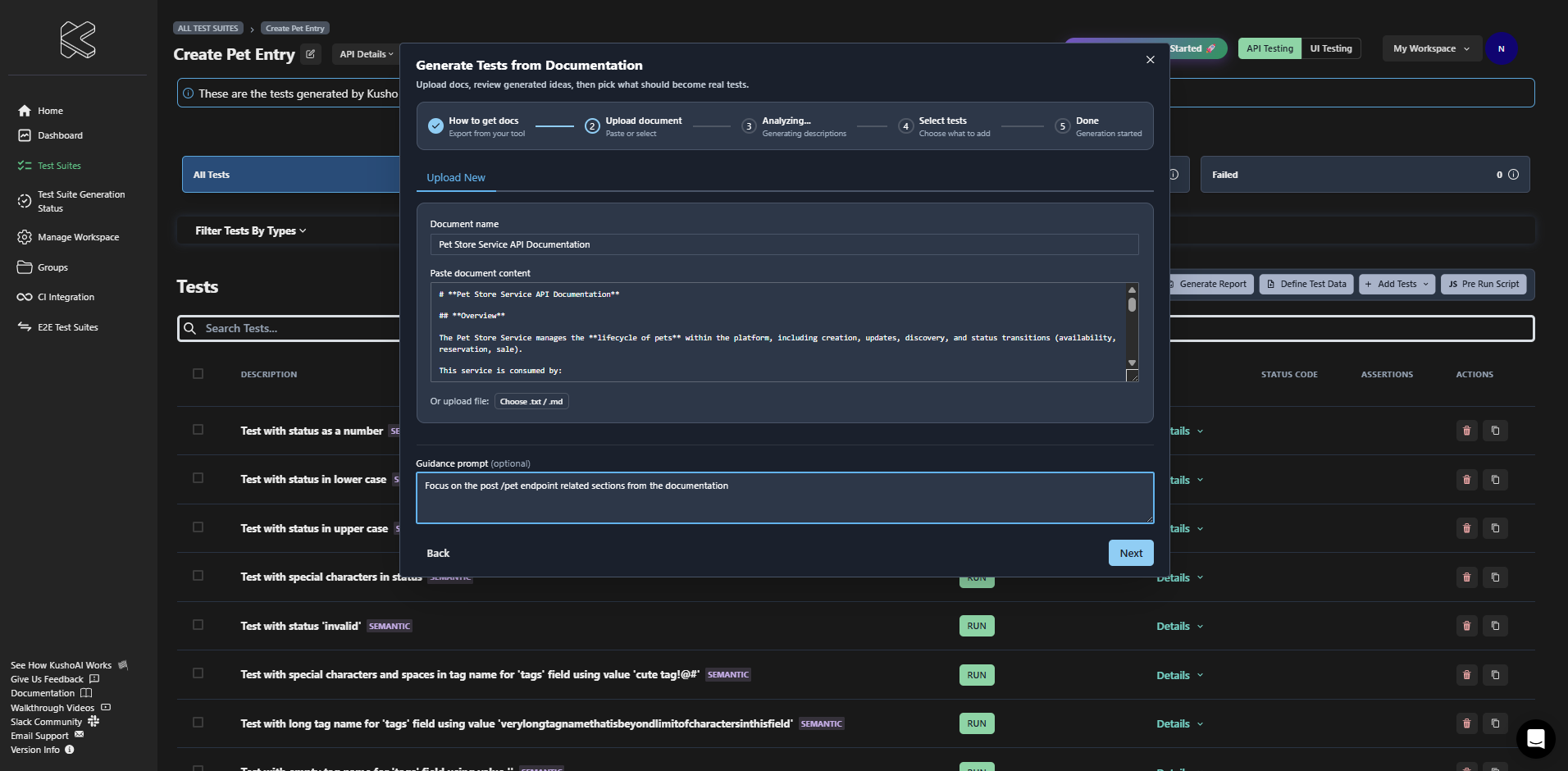
- (Optional) Add a guidance prompt to focus generation on a specific feature area, edge case, or business rule.
Step 3: Generate Test Ideas
Click Next to let KushoAI analyze the documentation. KushoAI reads the document and generates proposed test descriptions for the current test suite. Use the optional guidance prompt to narrow the generation toward specific scenarios or feature areas.
Step 4: Select Tests to Create
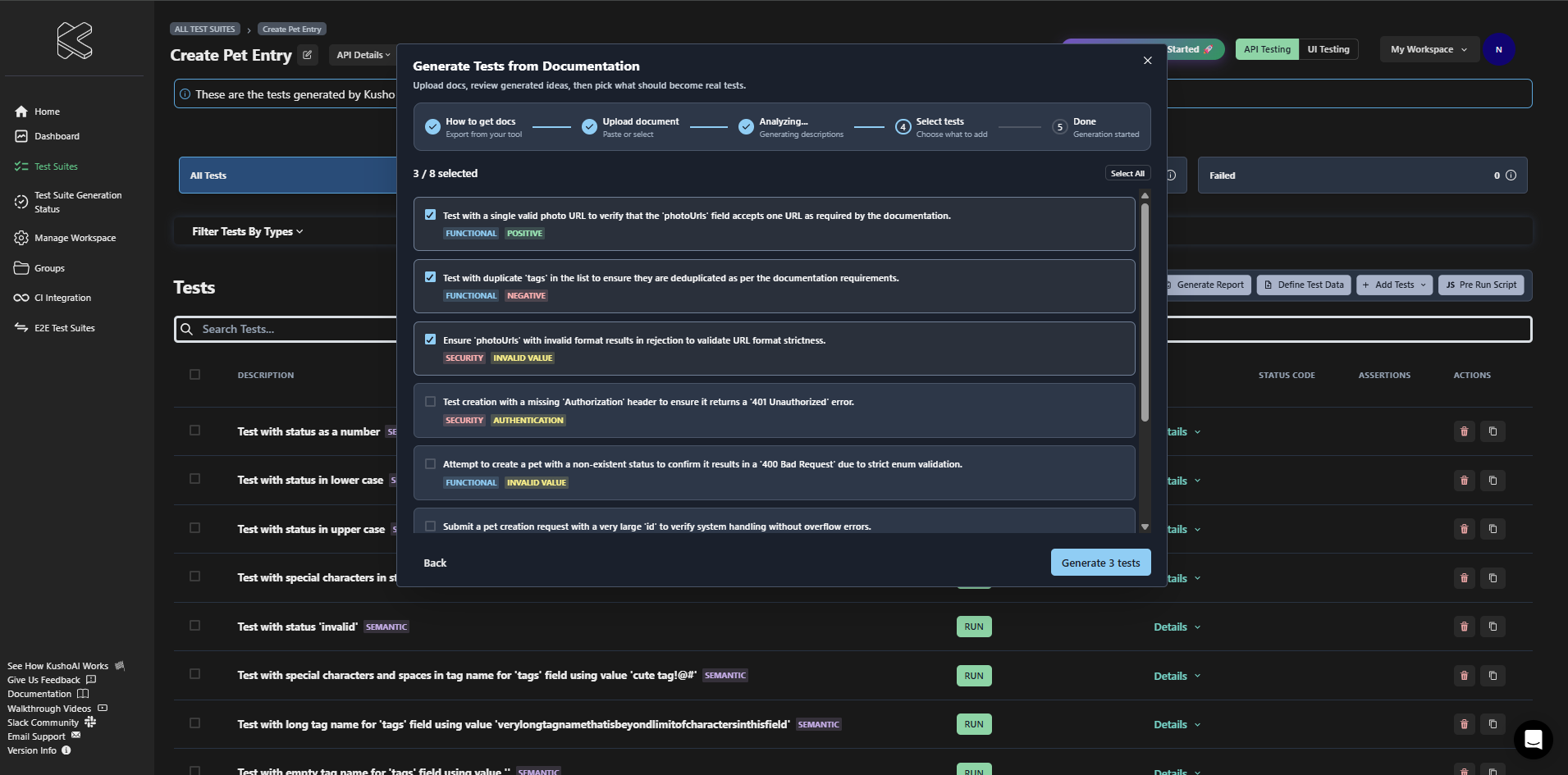
Review the generated test descriptions and choose which ones should be turned into tests. By default, all generated items are selected.
You can:
- Deselect individual items
- Re-select items
- Use Select All or Deselect All
Generated items may also include labels such as category and test type.
Step 5: Generate the Tests
Click Generate to create the selected tests in the current test suite.
Where the Results Appear
After the generation starts:
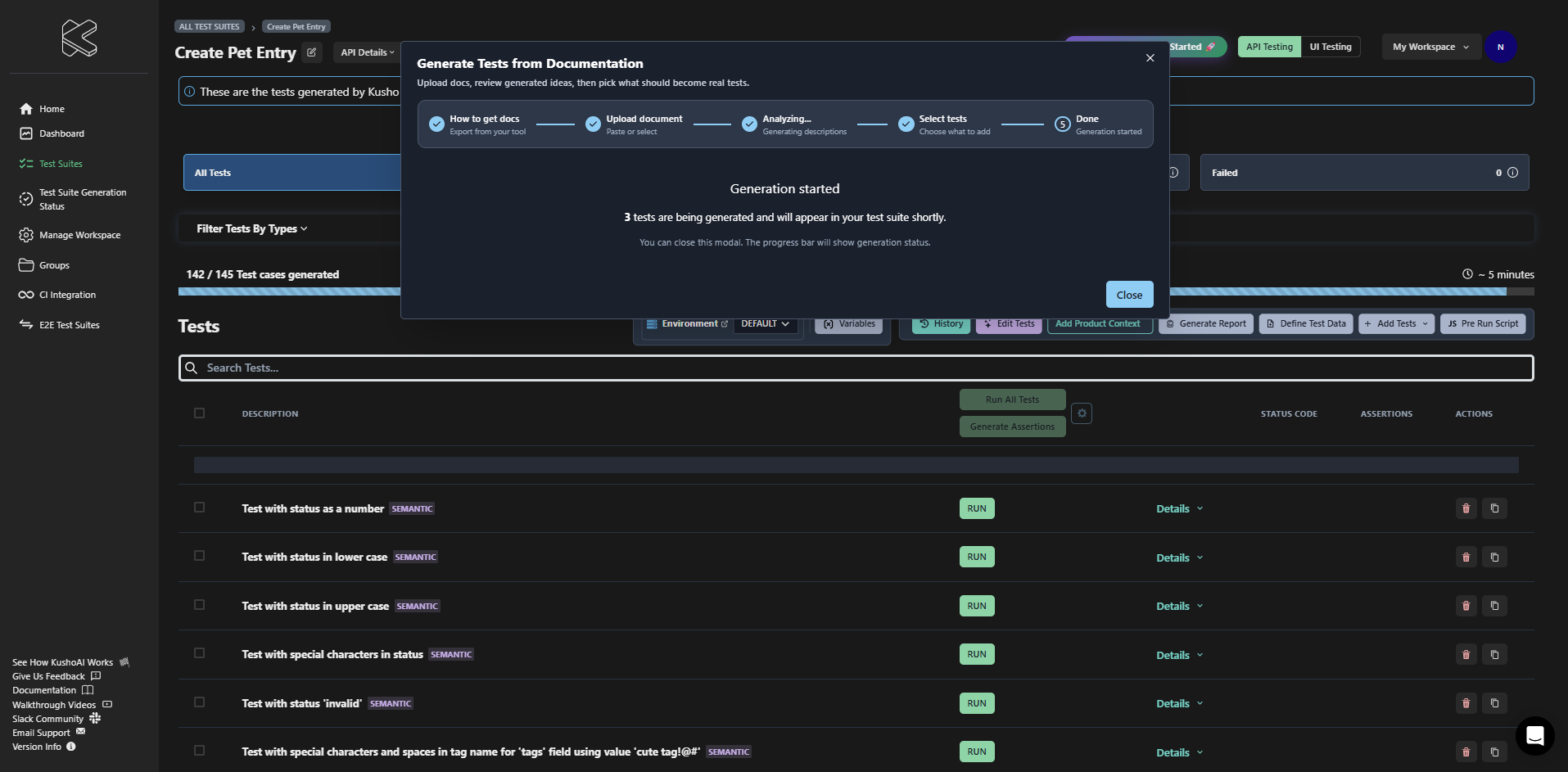
- The selected tests are added to the same test suite.
- A progress bar shows the generation status on the test suite page.
- You can close the modal while generation continues.
Notes
- Only
.txtand.mdfiles are supported. - Better documentation produces better test suggestions.
-
If no useful test ideas are generated, try:
- Uploading a different document
- Adding a more specific guidance prompt