
Create Test Suite From Documentation
Use Create Test Suite From Documentation when your team already has product, business, or design documentation and you want KushoAI to create a new test suite from it.
This flow starts from the Create Test Suite From Documentation page.
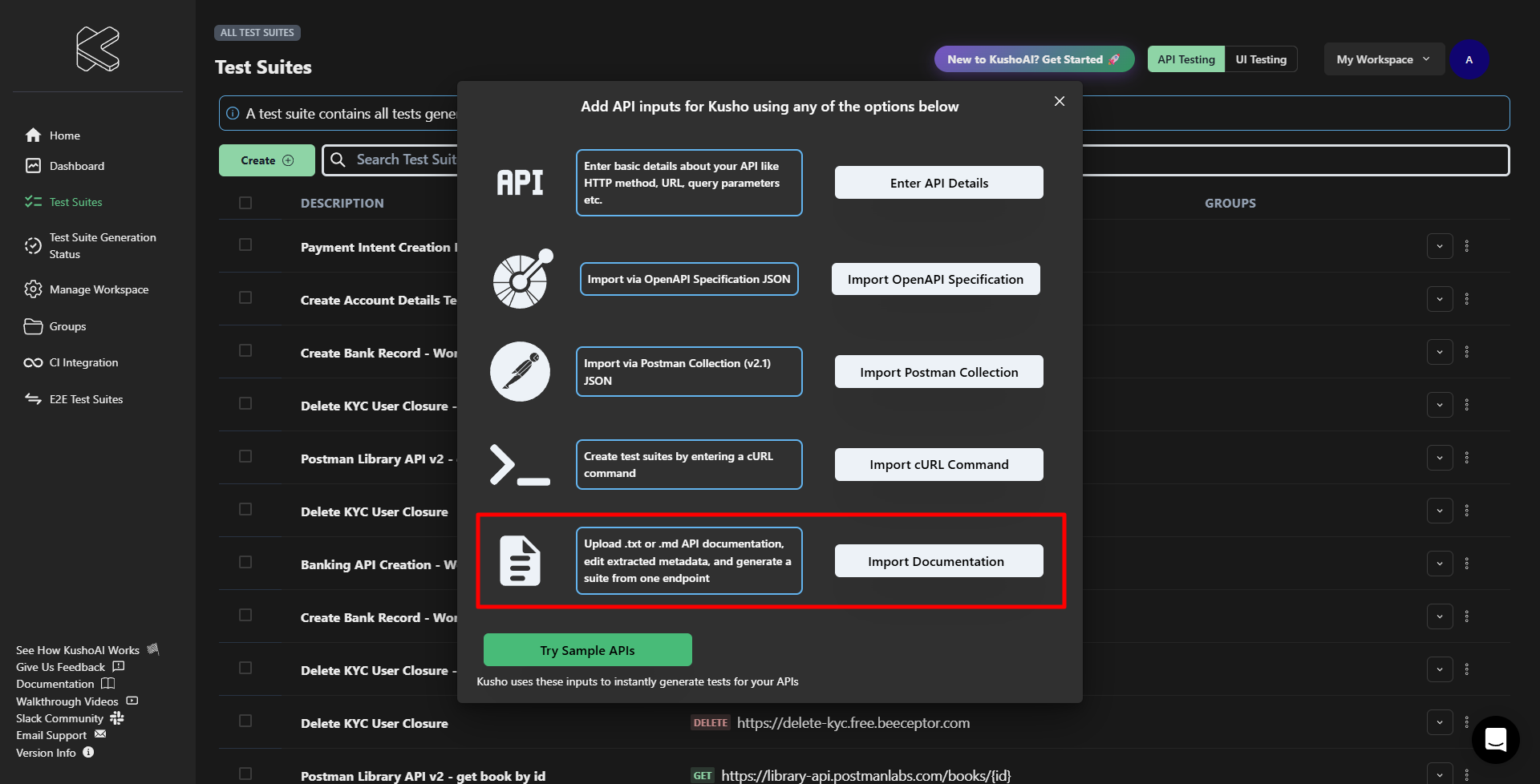
When to Use This
Use this feature when:
- The feature behavior is already defined in product or design documentation.
- You want to create a test suite without using an OpenAPI spec, Postman collection, or cURL command.
- You want KushoAI to identify endpoints from documentation and generate tests for them.
Supported File Formats
.txt.md.markdown
Step 1: Add the Documentation
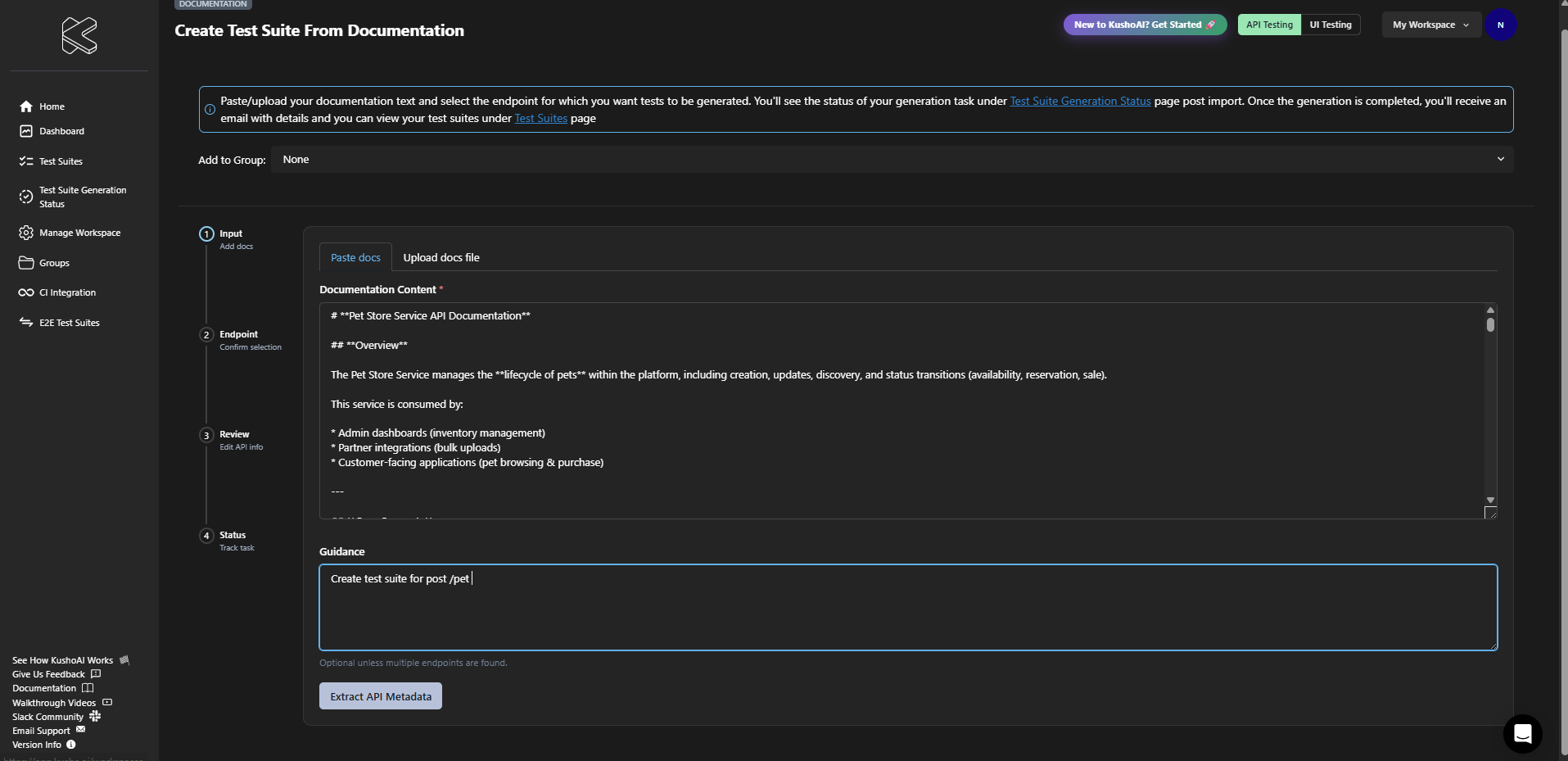
Add the documentation content on the input step.
You can:
- Paste the documentation into the text box
- Upload a
.txt,.md, or.markdownfile
Optionally, add guidance to help KushoAI focus on a specific endpoint or business rule.
Click Extract API Metadata to continue.
Step 2: Review Detected Endpoints
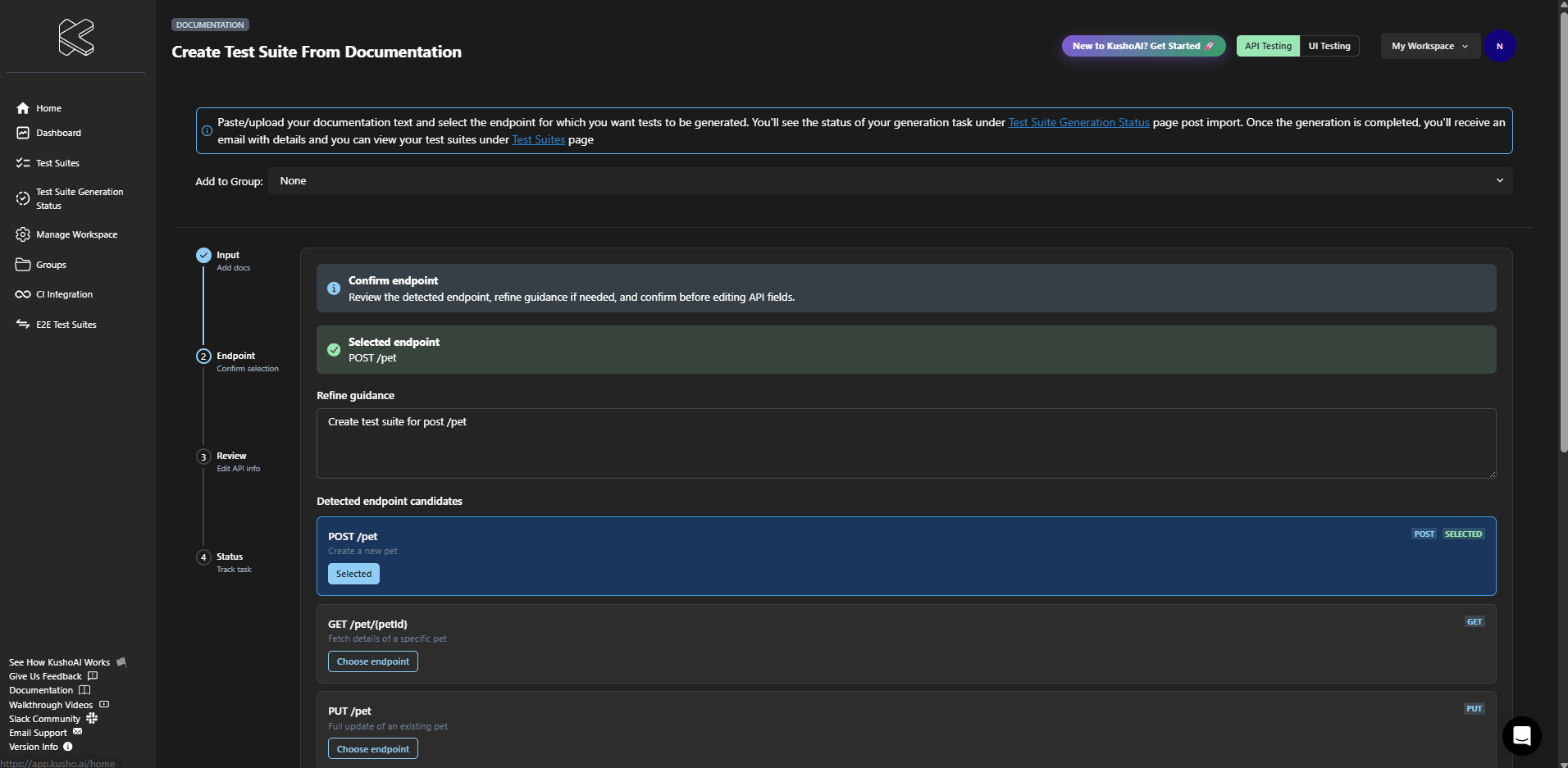
KushoAI analyzes the documentation and detects one or more endpoint candidates.
On this step, you can:
- Review the detected endpoints
- Refine the guidance if the document contains multiple endpoints
- Select the endpoint you want to use
After selecting the correct endpoint, click Confirm Endpoint.
Step 3: Review the Endpoint Payload
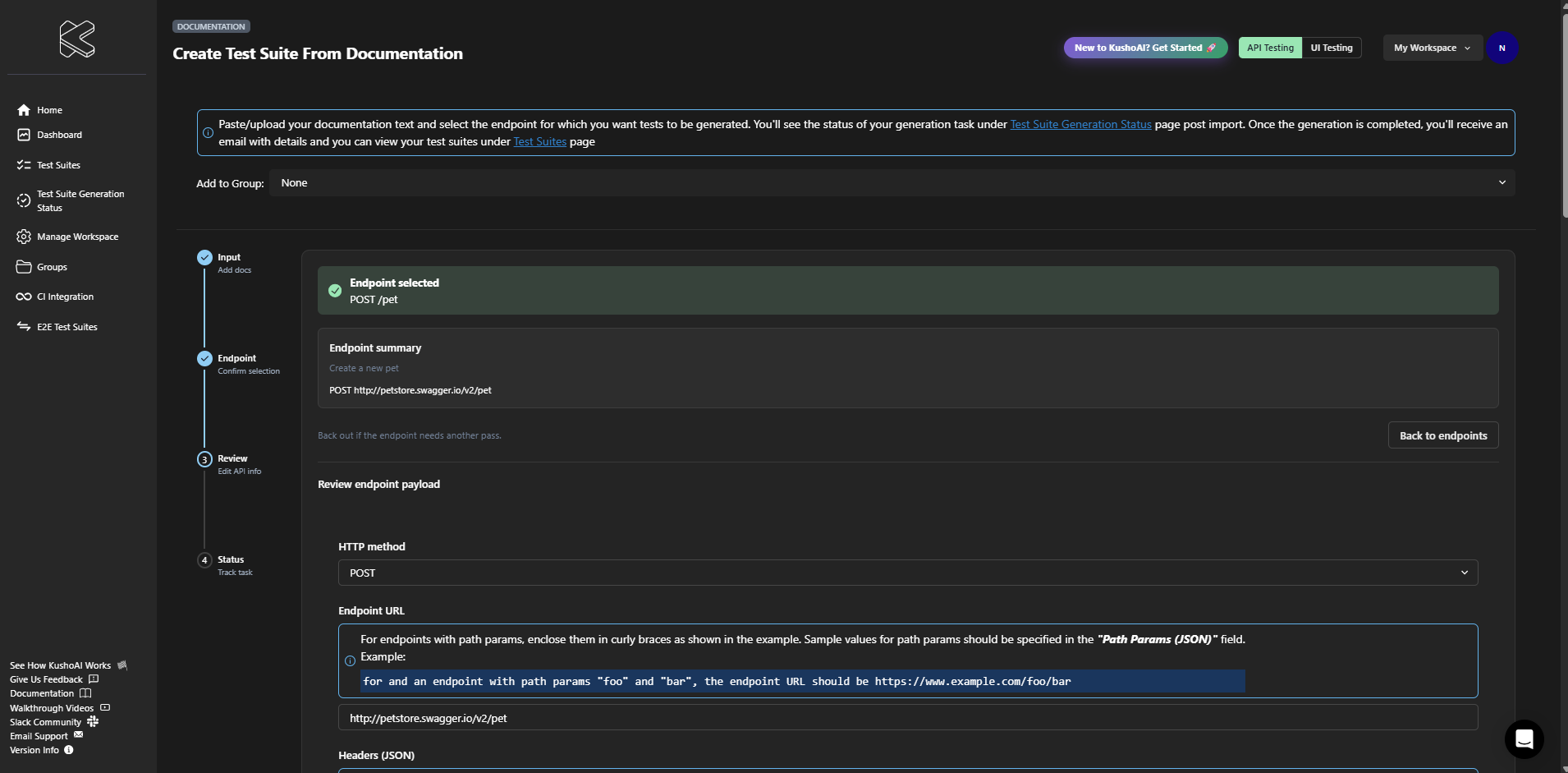
Once the endpoint is confirmed, KushoAI displays the extracted API information for review.
Review and edit the following if needed:
- HTTP method
- URL
- Headers
- Query parameters
- Path parameters
- Request body
Click Generate Tests From Documentation to continue.
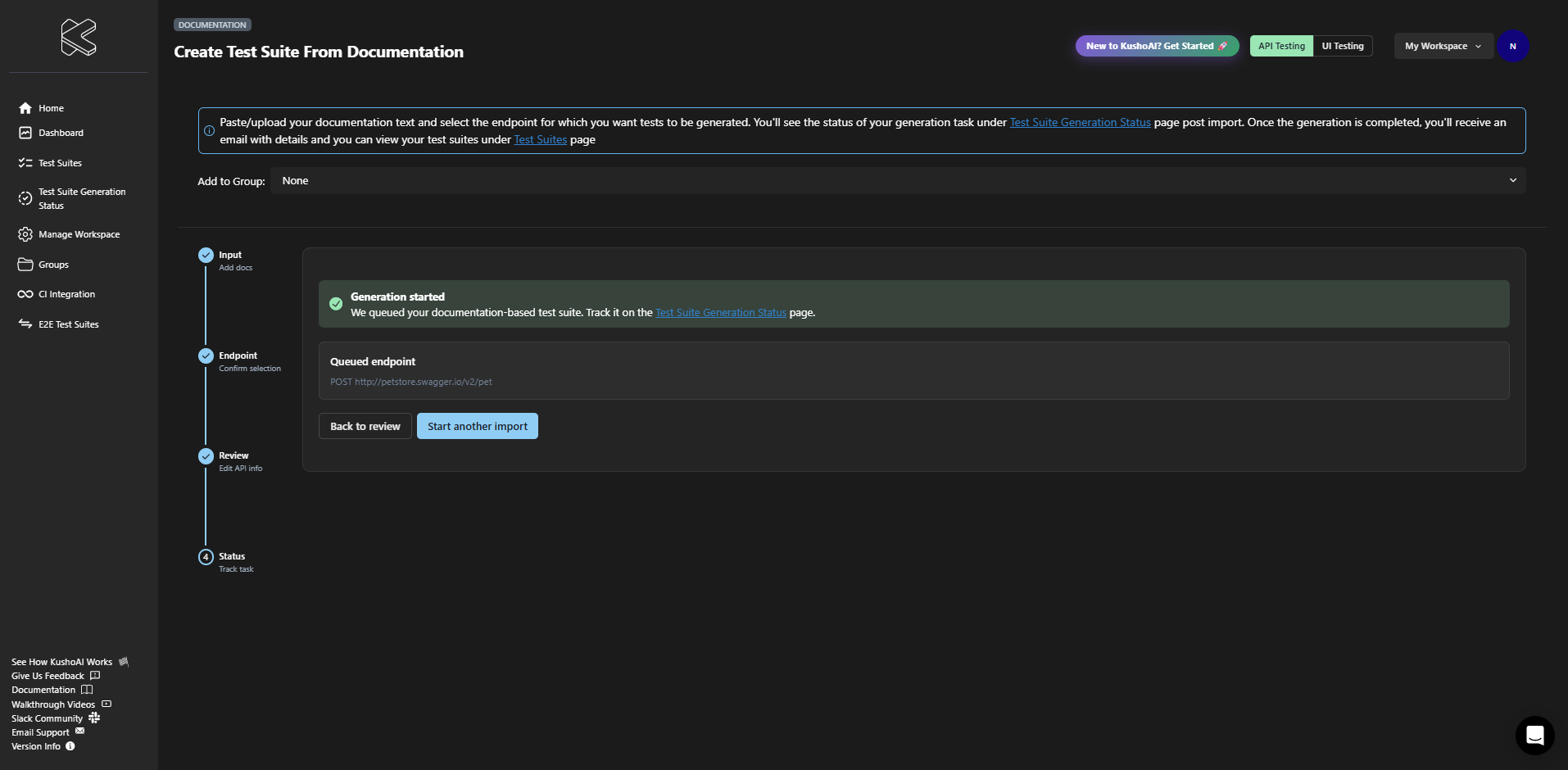
Step 4: Track Generation Status
After submission, KushoAI queues the test suite for generation. You can track progress from the Test Suite Generation Status page.
Where the Results Appear
After the generation completes:
- The new test suite appears on the Test Suites page
- You can open it from the Test Suite Details page
- KushoAI also sends an email notification when the generation is complete
Notes
- Only
.txt,.md, and.markdownfiles are supported. - If the document contains multiple endpoints, provide guidance before confirming the endpoint.
- Review the extracted method, URL, and payload carefully before generating tests.
- If the documentation is unclear, KushoAI may require additional guidance to identify the correct endpoint.